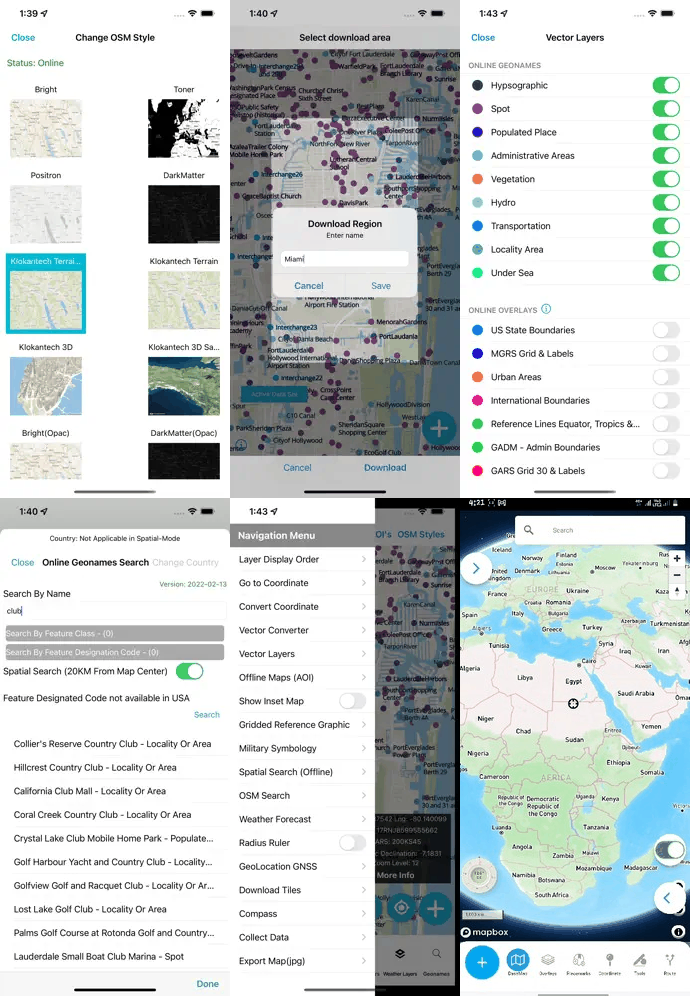
01 / ADVANCED SEARCH
Feature-class control
Display GeoNames by feature class. Scale labels by zoom. Constrain queries with spatial search over the current map extent or AOI.
Tech Maven Geospatial · NGA GEOINT App Store heritage
Premier mapping for situational awareness in unfamiliar terrain and foreign countries — NGA Foreign GeoNames & USGS domestic GNIS, optimized for the field, with audio pronunciations and true offline AOI.
Geo Request API
Online and offline spatial searching across government and open place data — for the AOI you deploy into.
About the product


Originally designed and sold exclusively to U.S. Government personnel via the NGA GEOINT App Store — now available on the Apple App Store. Developed from vendor opportunity packages (GeoNames, GeoCognizant, Talking Map, and others) and years of operator conversations across defense and intelligence.
Recognition
Award-winning geospatial mobile capability — engineered for D-DIL environments where commercial maps fail and pronunciation of foreign place names matters.


iPhone Pro · operator UI
Core mission capabilities
Display GeoNames by feature class. Scale labels by zoom. Constrain queries with spatial search over the current map extent or AOI.
GeoJSON & GPKG vectors, raster and vector tiles in MBTILES / GPKG (EPSG:3857). In-app converter for additional formats.
Pull a custom area of interest once — then map, search, and audio playback continue disconnected from the commercial internet.


What is GeoNames?
NGA Foreign GeoNames (GNS) and USGS BGN domestic GNIS produce place names, POIs, and geographic features. Tech Maven processes and updates this data monthly for mobile search, tiles, and offline AOI packages.
Industries & markets
From defense and border protection to wildland fire, marine ops, and humanitarian response.
User loaded data & tools
Same home structure as the live product site: one tab per feature, with media and a clear next step.
Load your own MBTiles vector tiles from device storage and put them on the map in minutes — no server round-trip, no proprietary package. Style fill color, opacity, and labels in the field so AOI briefs stay readable when the basemap alone is not enough.
Built for operators who already ship clipped tile sets: drop the file in, toggle visibility,
and keep working offline. Single-layer gzipped PBF tiles are supported today inside the
tile_data blob.
Query OpenStreetMap live for points of interest inside a geographic area you draw or define — then drop those results onto the same map you already use for GeoNames and AOI packs.
Pick a category, then a type (for example Amenity → Bank / ATM), run the search, and review matches in context. Ideal when you need fresh local amenities without shipping a custom POI database.
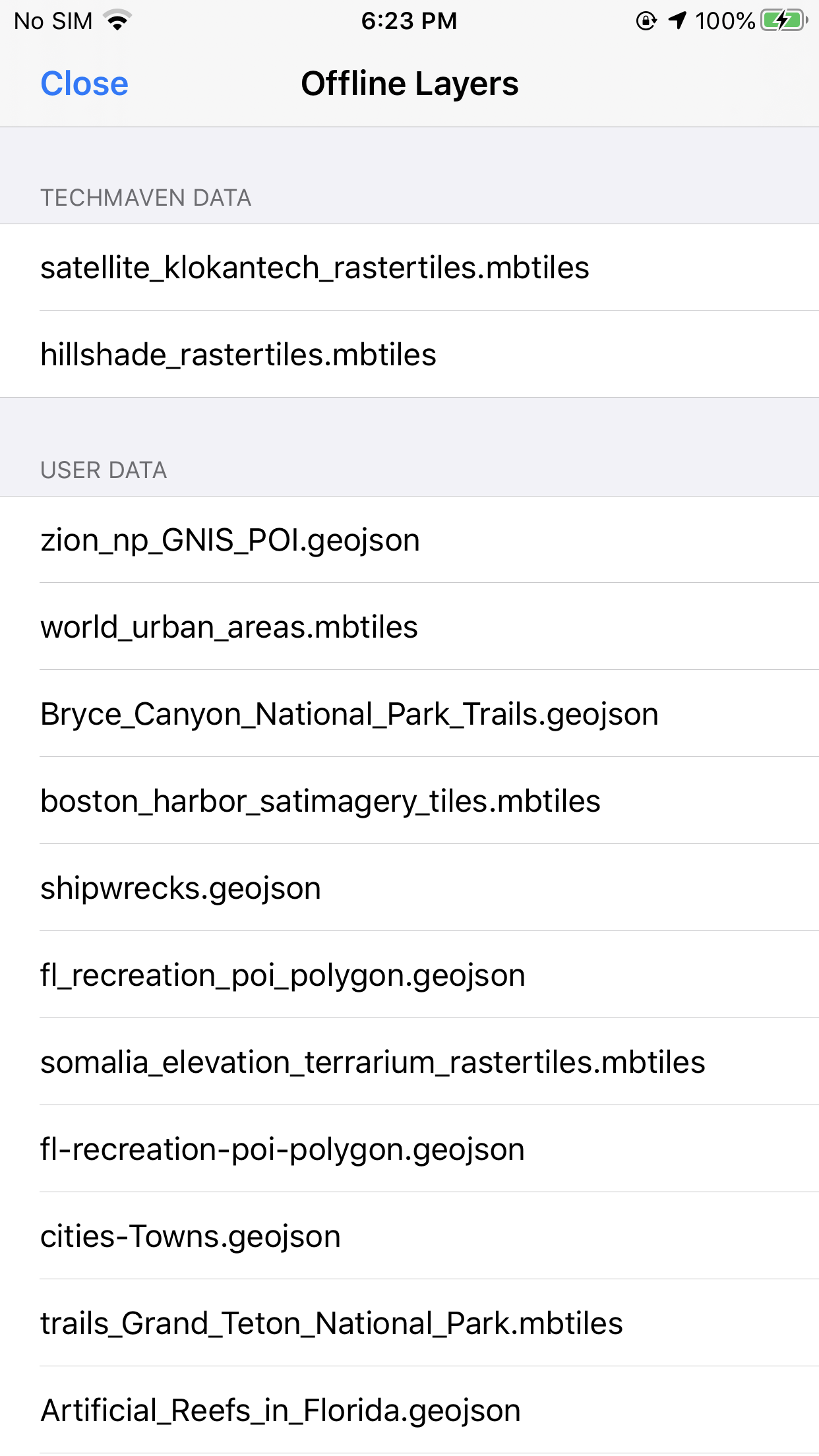
Load your own vector packages from device storage — GeoJSON and GeoPackage — and put them on the map without a server round-trip. Change fill, stroke, opacity, and labels in the field so layers stay readable on the basemap you brief from.
Inspect attributes in the tabular grid, toggle visibility, and keep working offline when the network is the risk. Built for teams that already ship clipped GPKG / GeoJSON AOI sets.
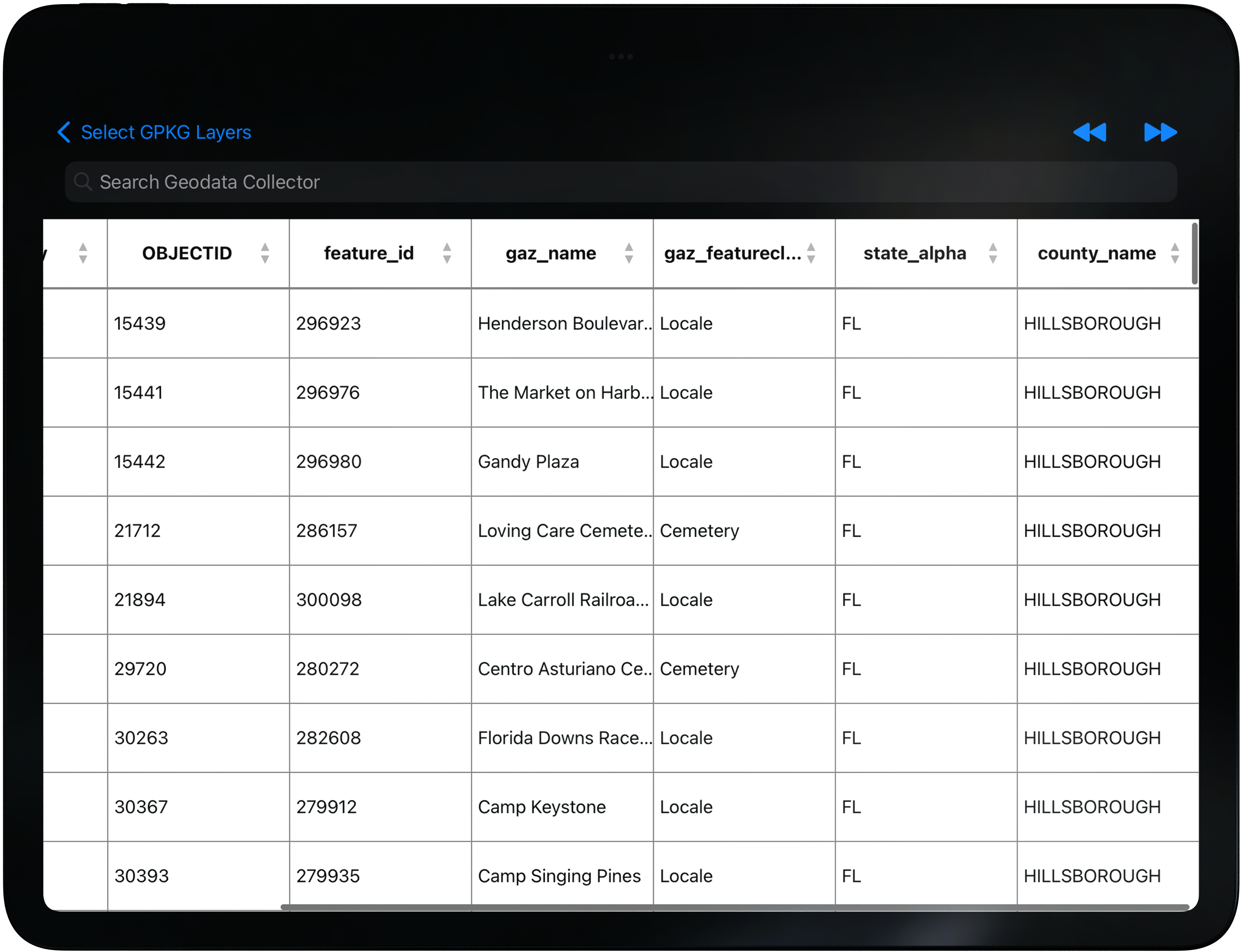
Open a layer’s attributes in a searchable tabular grid — zoom to a row, scan fields, and keep the map and table in the same workflow. Built for operators who need to find a name, ID, or county value fast without leaving the AOI view.
Filter and search across columns so dense GPKG tables stay usable on a phone or tablet, then jump back to the feature on the map when you need spatial context.
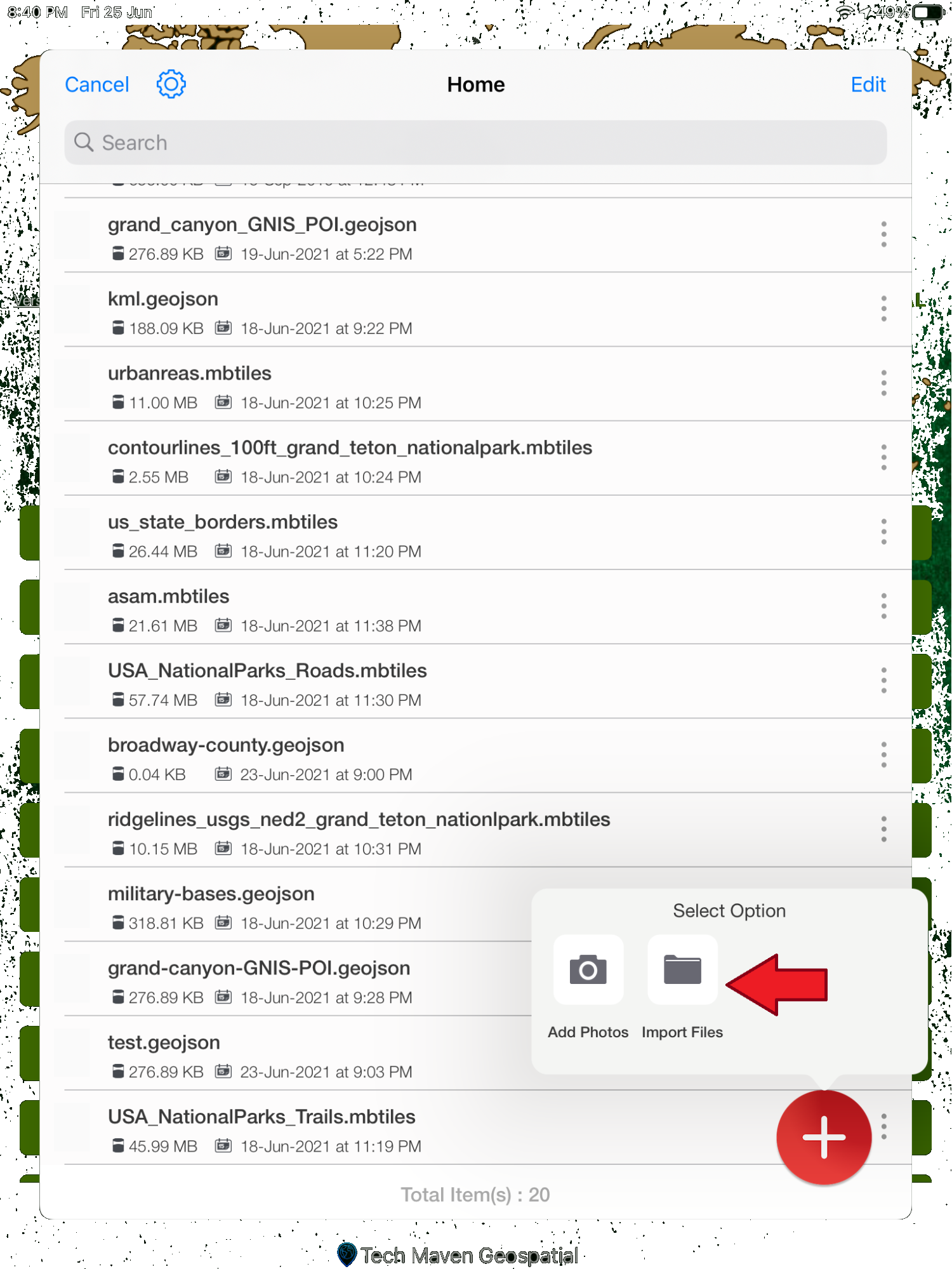
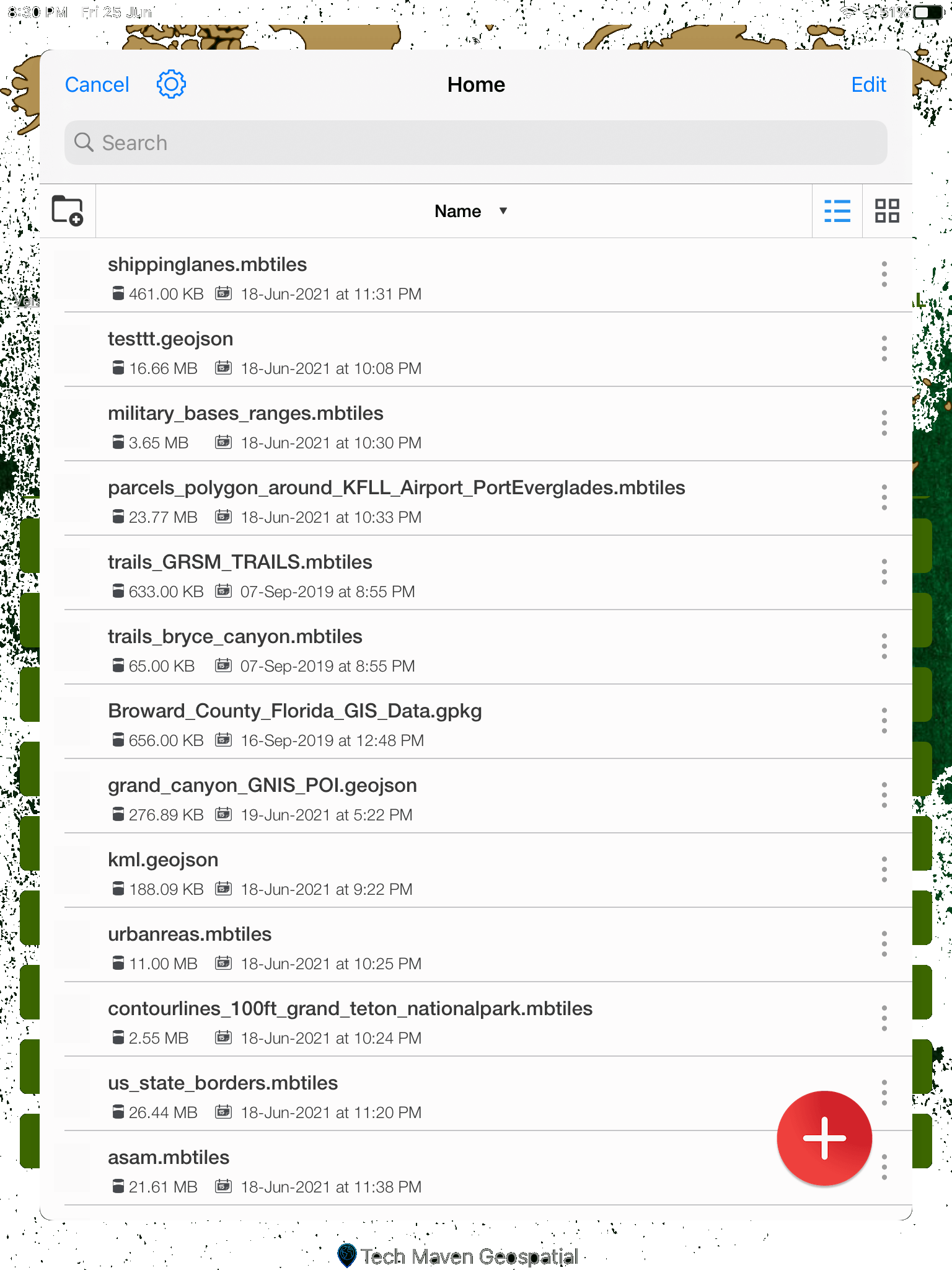
Bring documents, images, and map packages onto the device from local storage or cloud sources such as Dropbox and Box — then keep them organized next to the layers you already use on the map.
Built for field handoffs: pull a briefing PDF, a geotagged photo set, or a GPKG package without juggling a separate file app. Pair with Office Docs viewer and Wifi Share when you need to open or move those files in the same stack.
Move map packages, documents, and media between devices on the same Wi‑Fi network — including uploads to iPhone and iPad — when USB cables and cloud accounts are not practical in the field.
Useful for team handoffs at a staging site: one operator finishes an AOI package, another pulls it over local wifi, and both stay on the same GeoNames Map Explorer stack without waiting on backhaul.
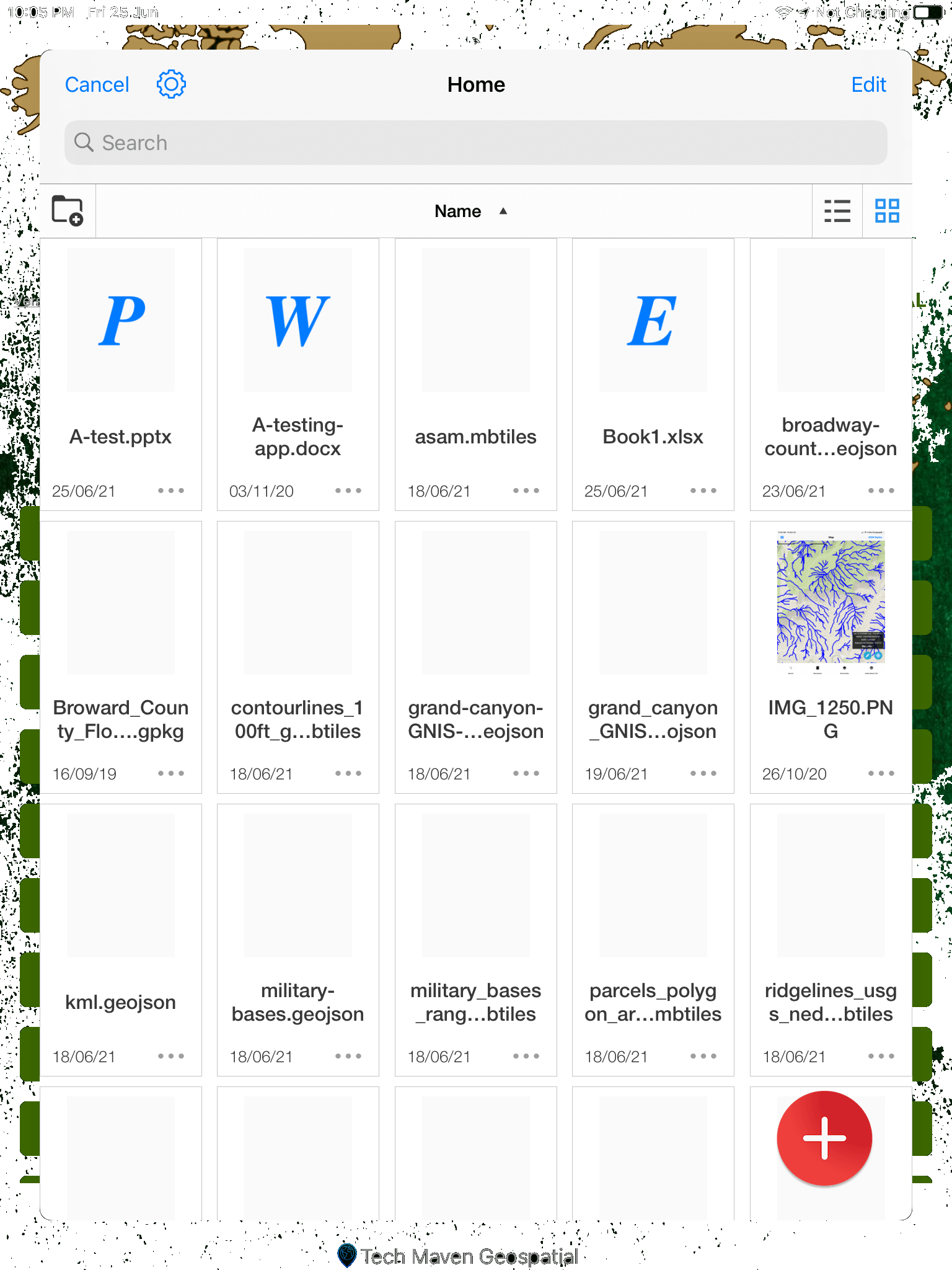
Open Word, PowerPoint, Excel, PDFs, and images from File Manager without bouncing to another app. Keep the briefing, annex, or site photo next to the map you are already using for the AOI.
Built for operators who carry mixed packages — a PDF overlay plan, a spreadsheet of points, and geotagged photos — and need them readable on device when connectivity is thin.
See your position as a blue pin on the map and tune how tracking and map-center behavior work — so device location and the AOI view stay aligned when you move, pause, or recenter.
Use the geolocation widget for device position and map center, then pair with go-to-coordinates, compass, and measure tools when you need more than a pin on the basemap.
Search and map NGA Foreign GeoNames and USGS domestic GNIS — the place-name authority operators rely on abroad and at home. Datasets are updated regularly and packaged so offline AOI search stays fast when the tower drops.
Pronunciations, feature classes, and offline packs sit beside the same basemap, weather, and user layers you already brief from — not a separate gazetteer app.
Capability demos
Coordinate tools, GARS, offline search, satellite styles, placemarks — each with its own Read More.
AOI offline packages — search and pronunciation without the net.
Read More →
Team Awareness Kit
Beyond ATAK / iTAK — GeoNames vector basemaps with team SA on the same map.
 Explore GeoNames TAK
BYO TAK Server · Tech Maven does not host TAK infrastructure
August 2026 release
New field videos — tap play. Same iPhone frame as the rest of the site.
Broadcast device position on the mesh so teammates see you without cellular.
Read More →Live Cursor-on-Target markers on MapLibre — callsign, team color, MGRS, speed.
Read More →Product launch · Tech Maven Geospatial
GeoNames Map Explorer iOS
Operator tools that already ship — including the August 2026 TAK hub, on-device AI, survey suite, and enterprise sync. This is the next chapter of the stack.
Already in the fight
August 2026 · ships now
Unified TAK / Meshtastic hub, live CoT overlay, Gemma on-device AI, professional land survey, and enterprise cloud / PostGIS sync.
Explore GeoNames TAK
Evaluate at no obligation
Same stack your operators will deploy — white-label and source-code licenses available for enterprise and government programs.
Windows version in active development